

Balck Box Studio Hero Image

Terminal


UI, Component Library, Design System

Terminal focuses on the digital accessibility barriers faced by visually impaired users, specifically the challenges of navigating public or unfamiliar interfaces where personal assistive settings are unavailable.

The goal of this project was to design an accessible mobile interface that bridges the gap for visually impaired users interacting with public interfaces. I specifically targeted digital kiosks, which consistently present severe accessibility barriers for individuals with low vision or legal blindness. Because standard kiosks rely on flat, frictionless touchscreens, they lack essential haptic feedback, often omit assistive audio cues, and force users to navigate wildly inconsistent interface paradigms depending on the vendor. By shifting control to the user's personal device, this project streamlines unpredictable public UI layouts into a standardized format, mitigating systemic inconsistencies while allowing users to leverage the familiar assistive technology already configured on their phones.

Balck Box Studio Hero Image

01

Accessibility Gaps

Usability issues when navigating interfaces outside of personal devices.

02

Visual First Bias

Digital systems that are designed for users of sight and are not made keeping visually impaired users in mind.

03

Routine Friction

Accessibility issues when completing everyday tasks in a digital landscape.

04

Non Universal UI

A lack of universal and standardized interfaces made to assist all users needs.

Description of photo
Balck Box Studio Hero Image

Scenario One

User: Paul (Visually Impaired / Low Vision)

Goal: Board and complete flight from JFK (NYC) to BZN (Bozeman).

Context: Navigating self-service flight check-in and baggage drop.

The Approach: Paul reaches the kiosk but cannot read the small, low-contrast screen text.

The Barrier: He searches for a headphone jack for audio guidance; the machine has none.

The Outcome: Paul completes the check-in but feels the fatigue and mental exhaustion of navigating a sighted-centric world.

The Interaction: The app prompts an ID scan. Paul places his ID face-down; it fails. He intuitively flips it to the photo side, and the second attempt works.

The Solution: He uses an AI app on his phone. Since his AirPods are dead, he must press the phone to his ear to hear the AI over the loud airport noise.

Scenario Two

User: Rebecca (Legally Blind / Senior)

Goal: Complete a grocery run and self-checkout independently.

Context: Navigating a local convenience store to purchase essentials while her son is away.

The Approach: Using her navigation app, Rebecca successfully reaches the self-checkout. She only needs a few essentials to last until her son returns from a work trip.

The Outcome: The transaction goes smoothly, but the need for help is a frustrating reminder of her lost independence. She leaves grateful for her son, but wishing she could handle her private finances alone.

The Interaction: A “pro” at navigating her local store, she smoothly scans her three items by touch. However, the flat, featureless touchscreen stops her when it’s time to select a payment method.

The Barrier: Unable to see the payment buttons, she must ask an attendant for help. While the assistant is kind, Rebecca feels a wave of vulnerability as a stranger navigates the financial prompts for her.


01

Interface Design

Usability issues when navigating interfaces outside of personal devices.

02

Adaptability

How would an interface adapt across various systems depending on the user goals and system applications?

03

Privacy

Accessibility issues when completing everyday tasks in a digital landscape.

04

Assistance

How non-visual users prefer to receive help when navigating a system interface without feeling exposed?


Object placement such as receipt printers, cash slots, or card readers.

Privacy issues when using text to speech (TTS) audio

Limited tactile feedback on touch screen interfaces

Lack of voice over and/or missing headphone jack

Inconsistent UI layouts

Reliability on visual user feedback such as changing button colors or lights


A responsive mobile kiosk that enables real-time, adaptive mirroring, allowing users to interact with a mobile-optimized version of the interface on their own devices. By utilizing NFC-enabled connectivity, this system reformats the kiosk UI into a responsive layout that preserves touch-target integrity and familiar mobile design patterns. While leveraging native device features, such as localized languages and haptic feedback, the system maintains synchronized controls on both the kiosk and the mobile device to ensure a flexible assistance model.

Pros

Enhances the end-to-end user journey by bridging the gap between public hardware and the user's personal assistive tools.

Provides a familiar experience by utilizing established mobile design patterns and standardized layouts.

Features a responsive display that maintains all kiosk functionality while optimizing it for mobile screen sizes and touch interactions.

Cons

Providing both a mobile-optimized layout and the original kiosk UI may result in confusion when a user requires external assistance.

The mobile-responsive approach may be less effective for complex kiosks that require displaying a high volume of data at once.

While the mobile framework is standardized, the interface structure may shift significantly depending on the specific data requirements of different kiosks.


Description of photo

Implements an adaptive UI that reformats the kiosk interface for mobile displays, allowing the user to engage more proactively though a touch-optimized experience tailored to their specific device.

Helps non-visual users interact with the kiosk while using localized language and micro interactions to guide through familiar tactile and auditory cues.

Mitigates cognitive load by replacing potentially fragmented or non-standard kiosk layouts with familiar mobile design patterns, establishing a sense of familiarity and comfort.

Users can receive external help via the kiosk screen while keeping sensitive interactions private on their personal device.

Utilizes location awareness by alerting users that the app is available for any physical kiosk they may approach in real space.

Broadens assistive audio support by enabling voice over through the user's device, eliminating the need for wired headphones and supporting wireless audio devices.


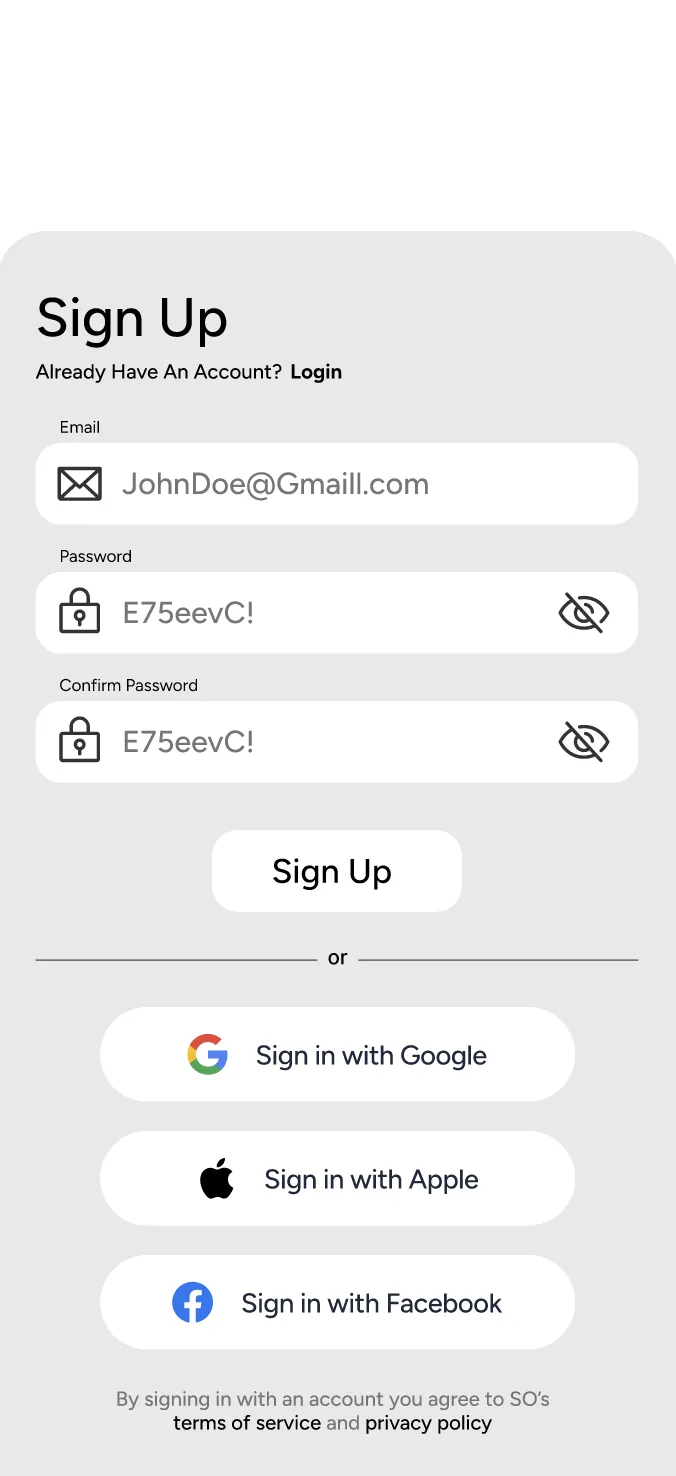
Terminal sign-up wireframe
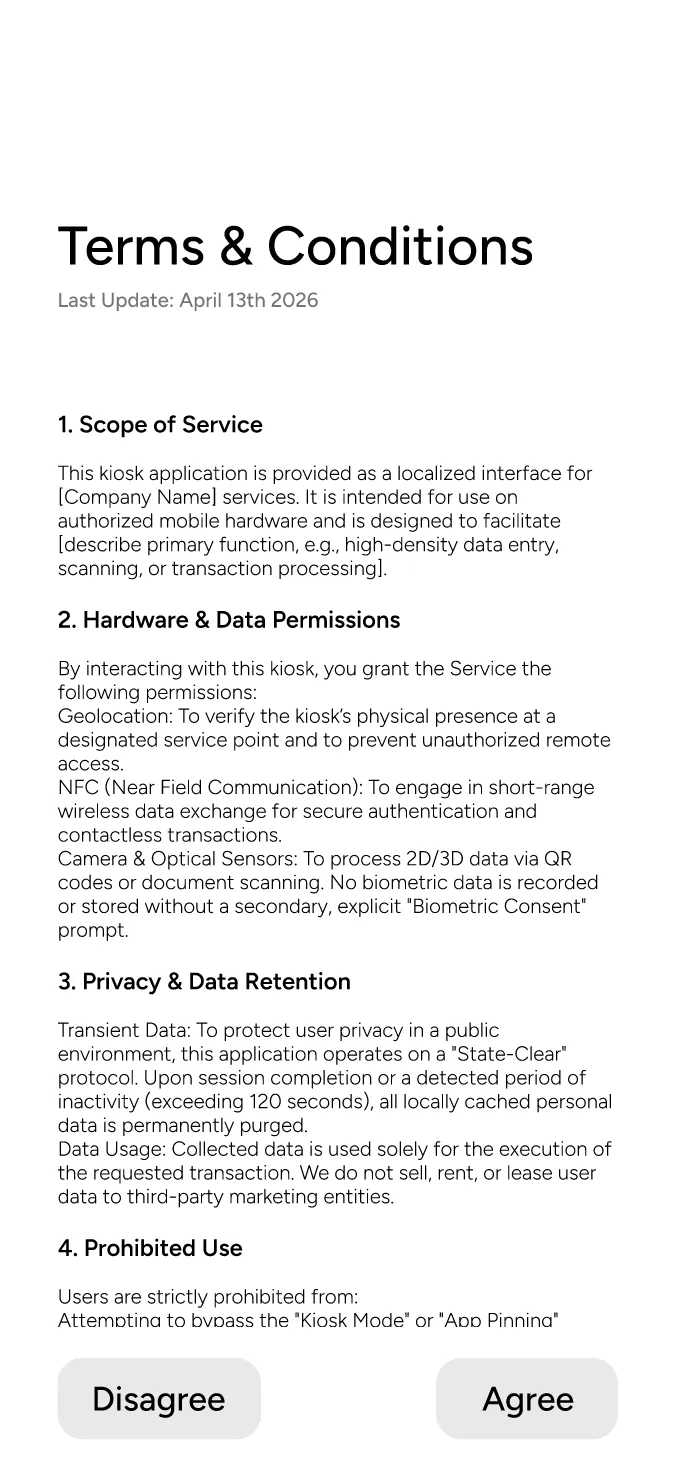
Terminal terms and conditions wireframe
Terminal welcome wireframe
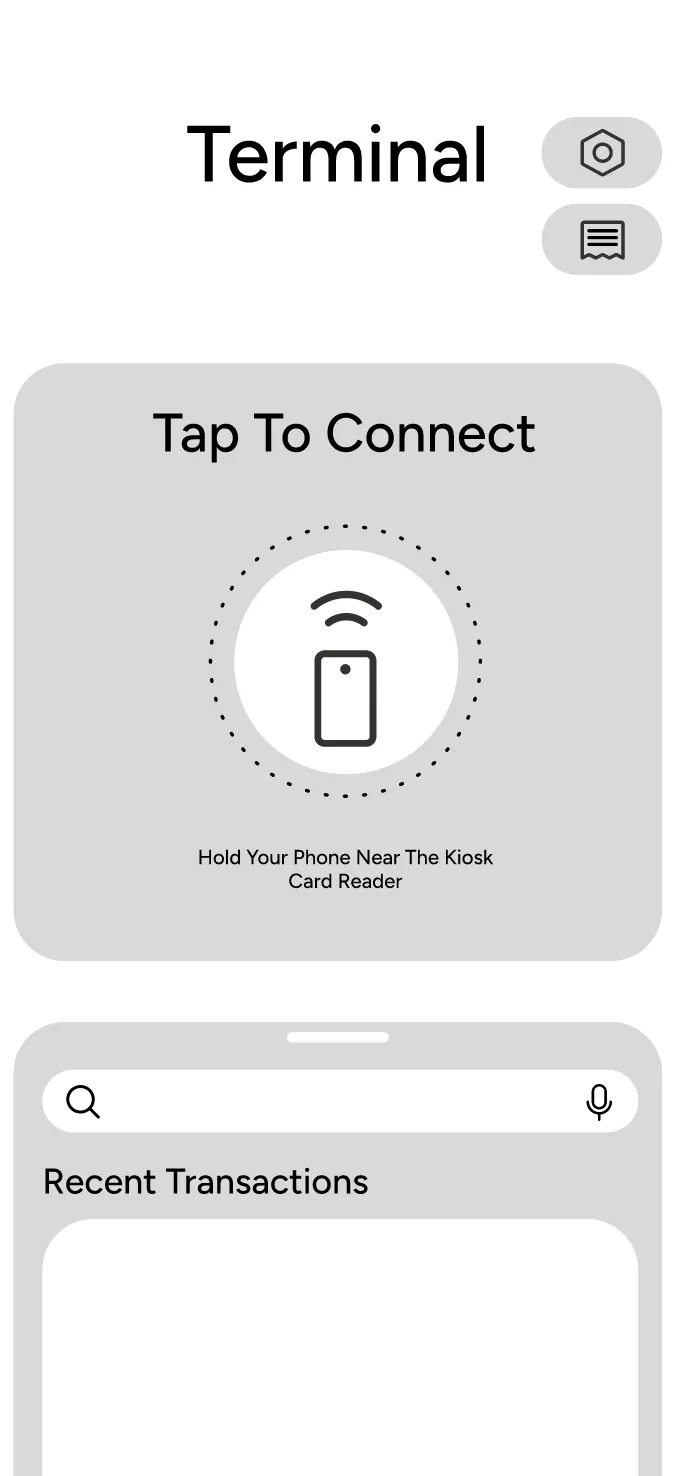
Terminal connect home wireframe
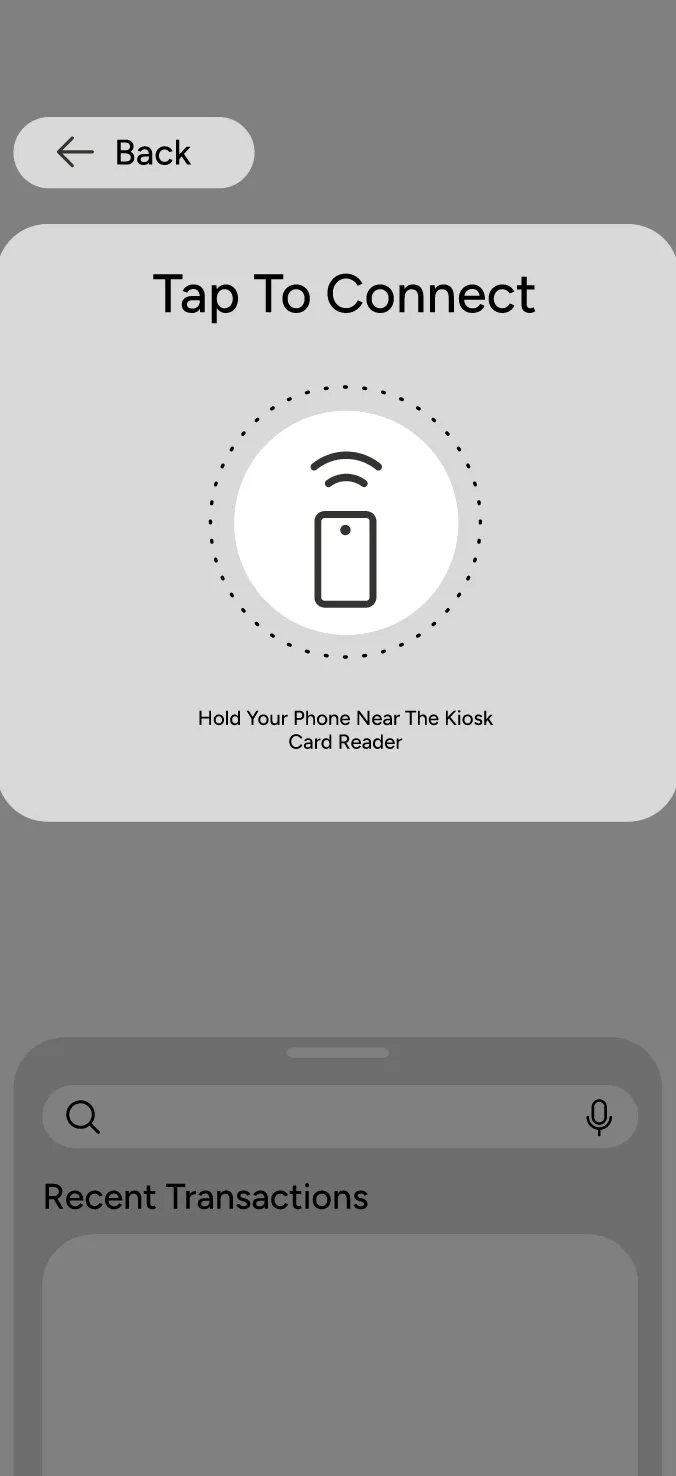
Terminal connection overlay wireframe
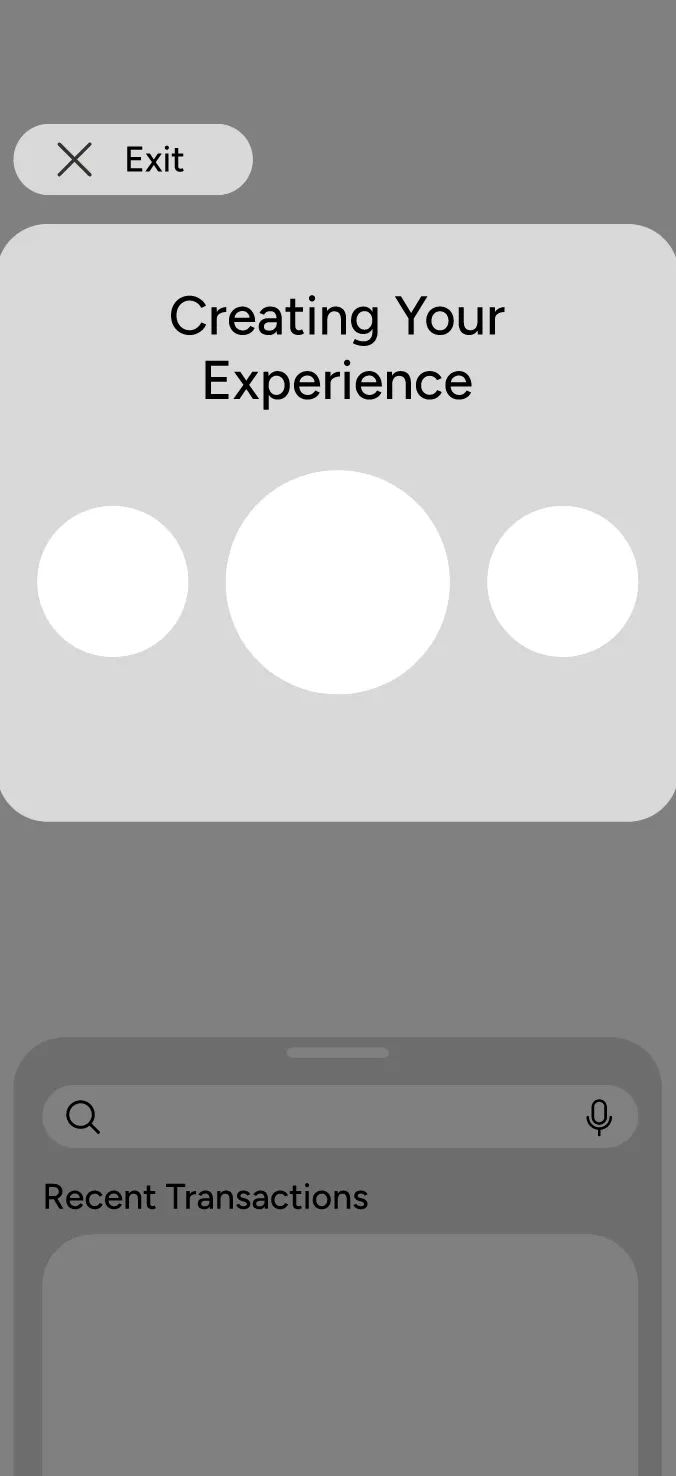
Terminal creating experience wireframe
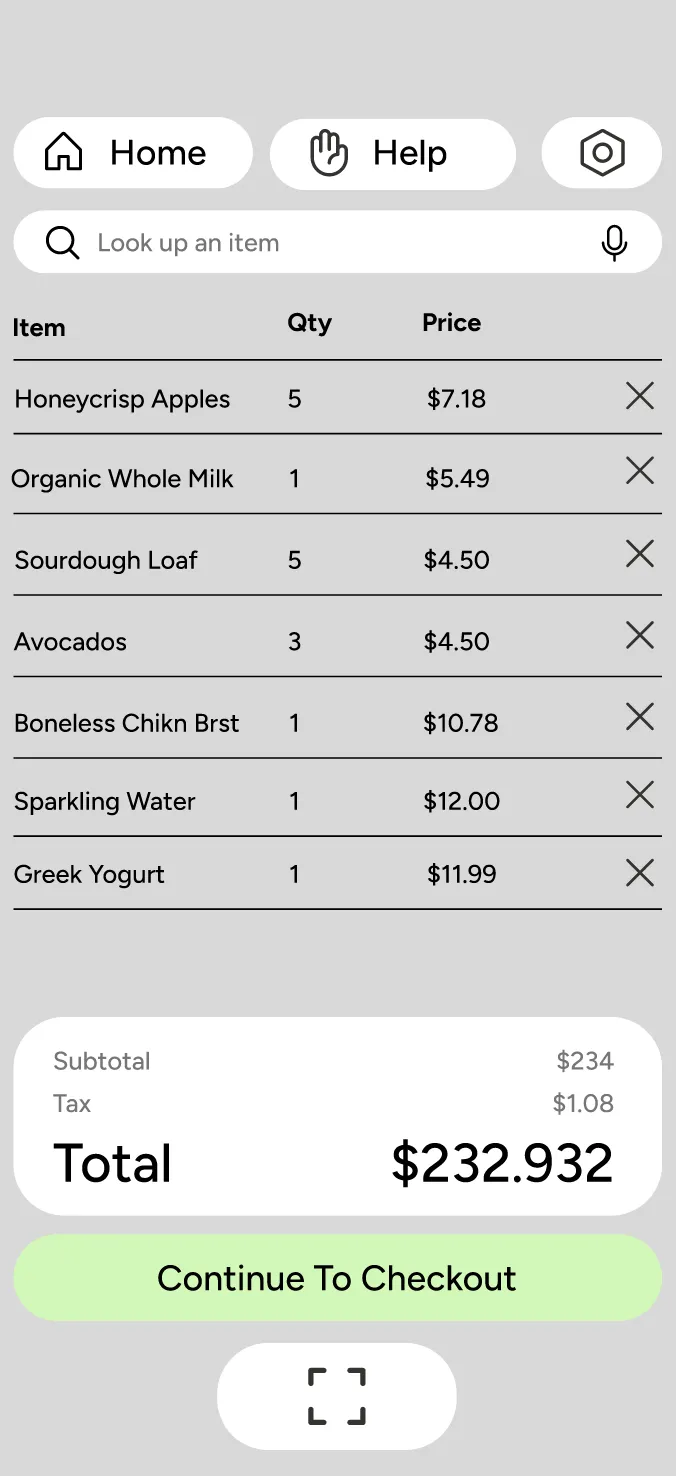
Terminal checkout list wireframe
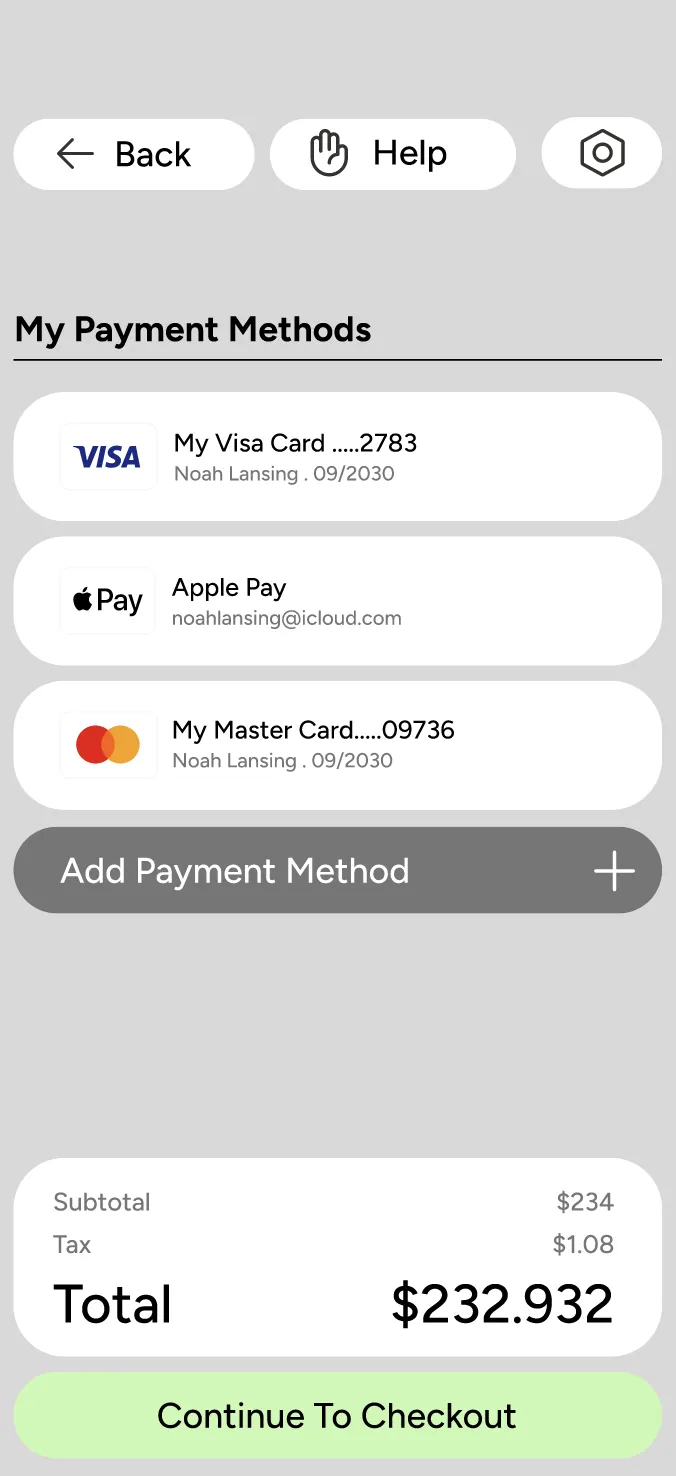
Terminal payment methods wireframe
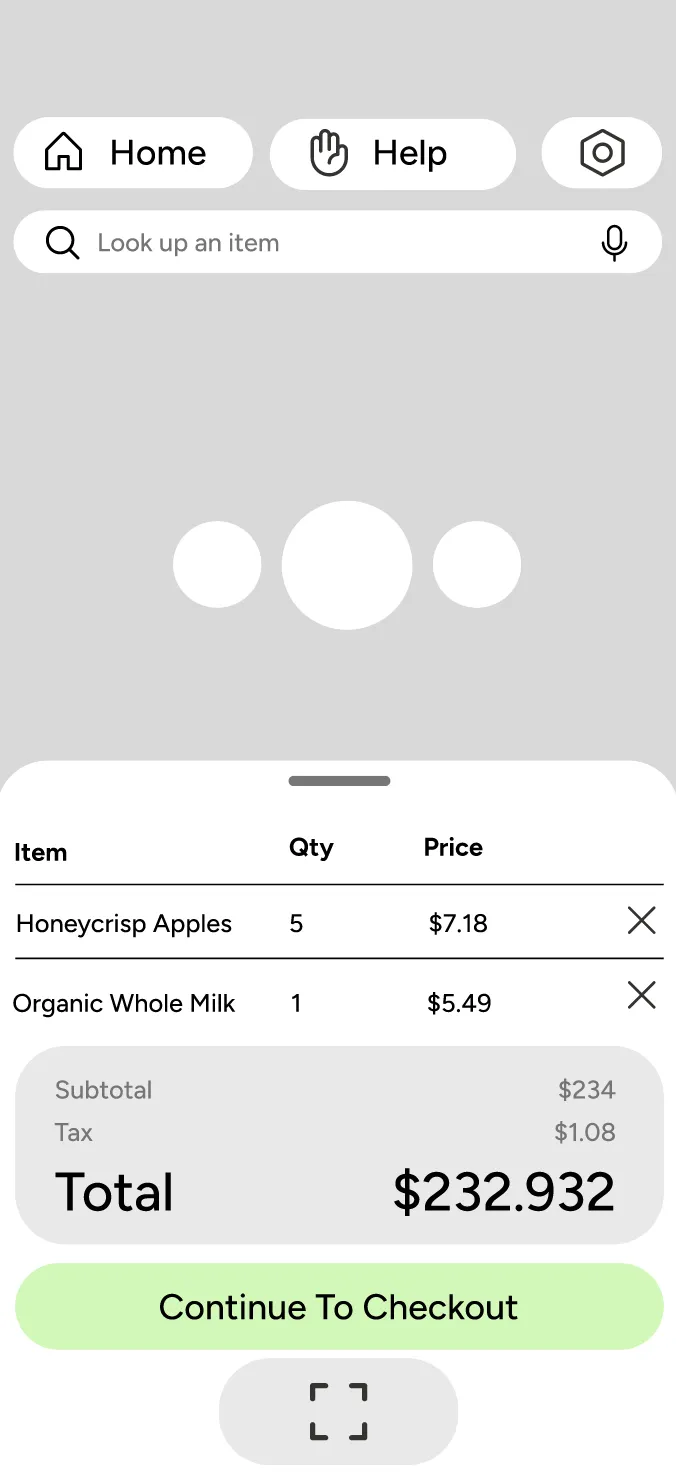
Terminal scanning progress wireframe
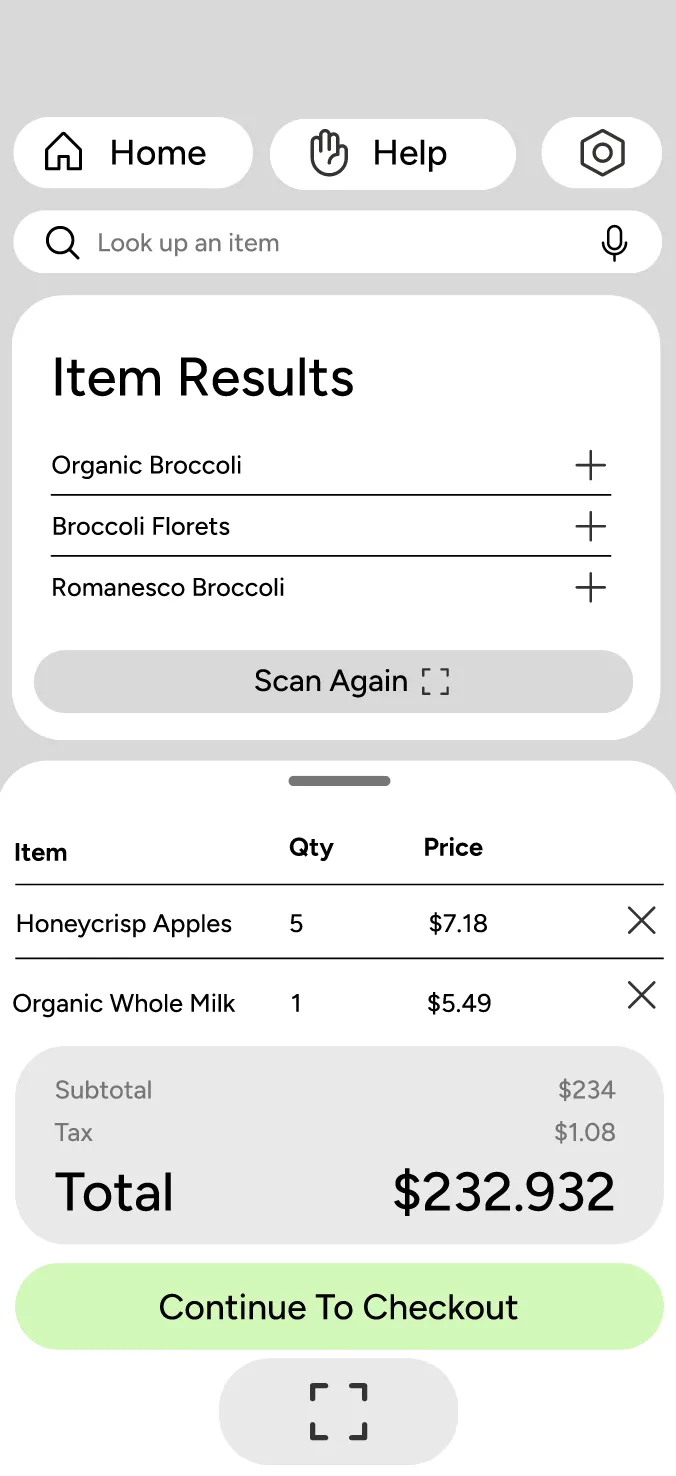
Terminal item results wireframe
Terminal barcode scanner wireframe
Terminal receipt wireframe

Balck Box Studio Hero Image
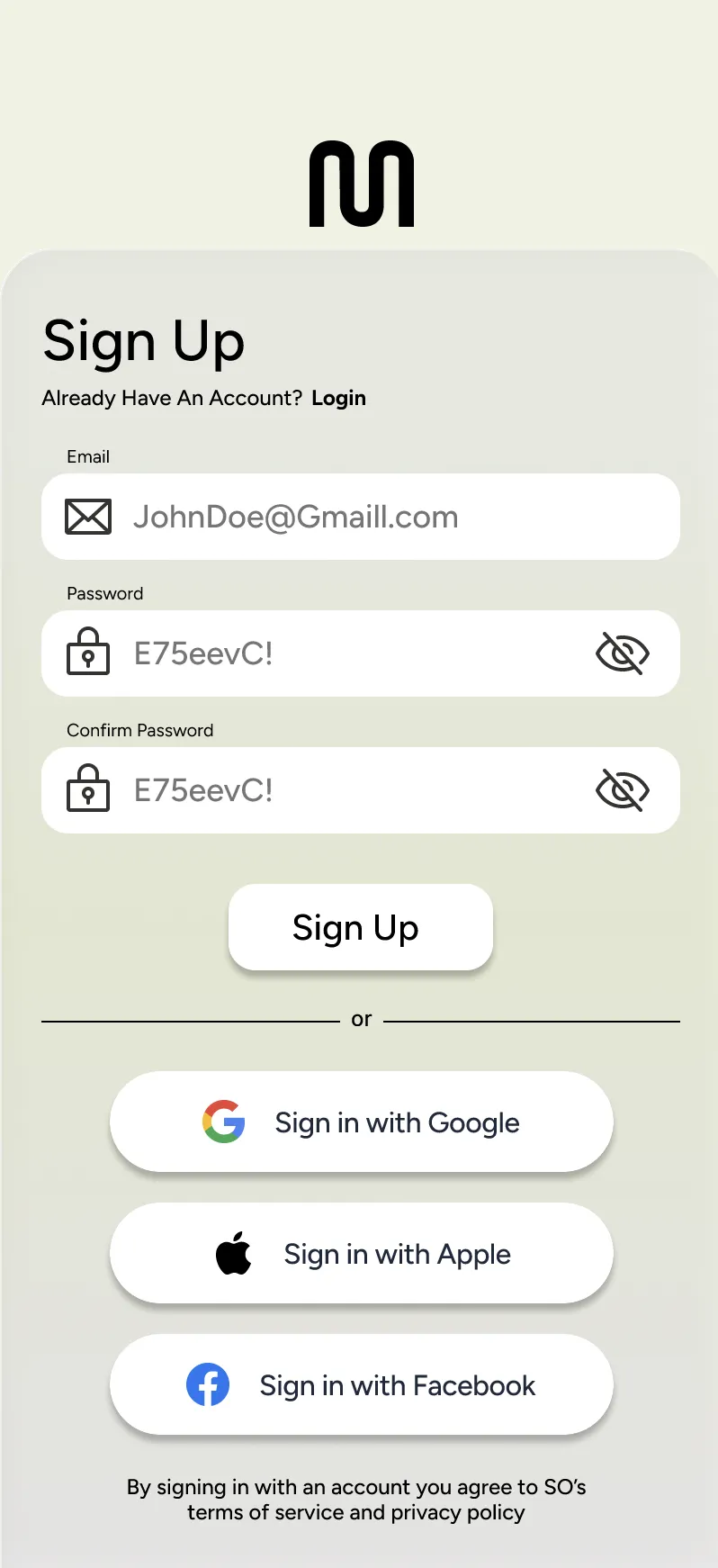
Terminal sign-up screen
Sign Up Sign up using your email, google, apple, or facebook.
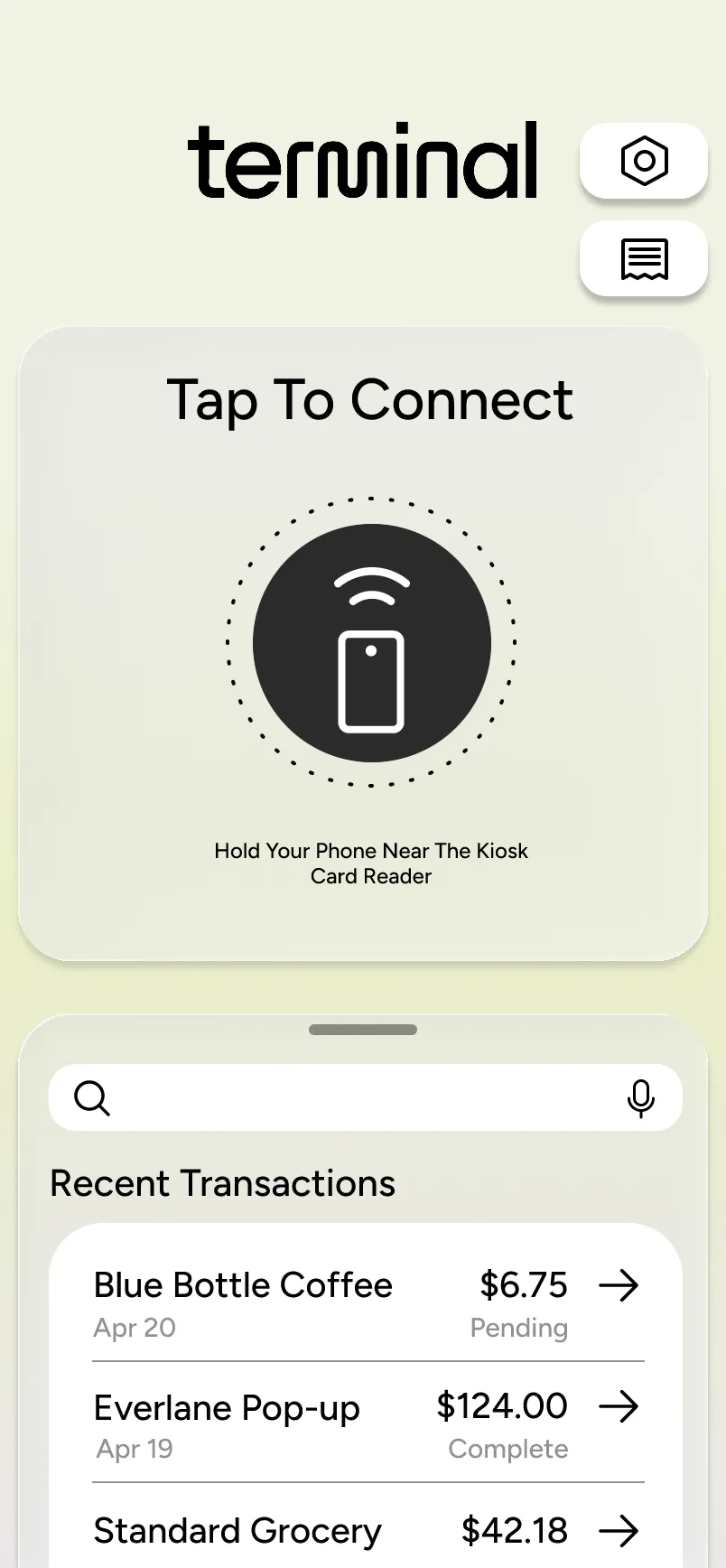
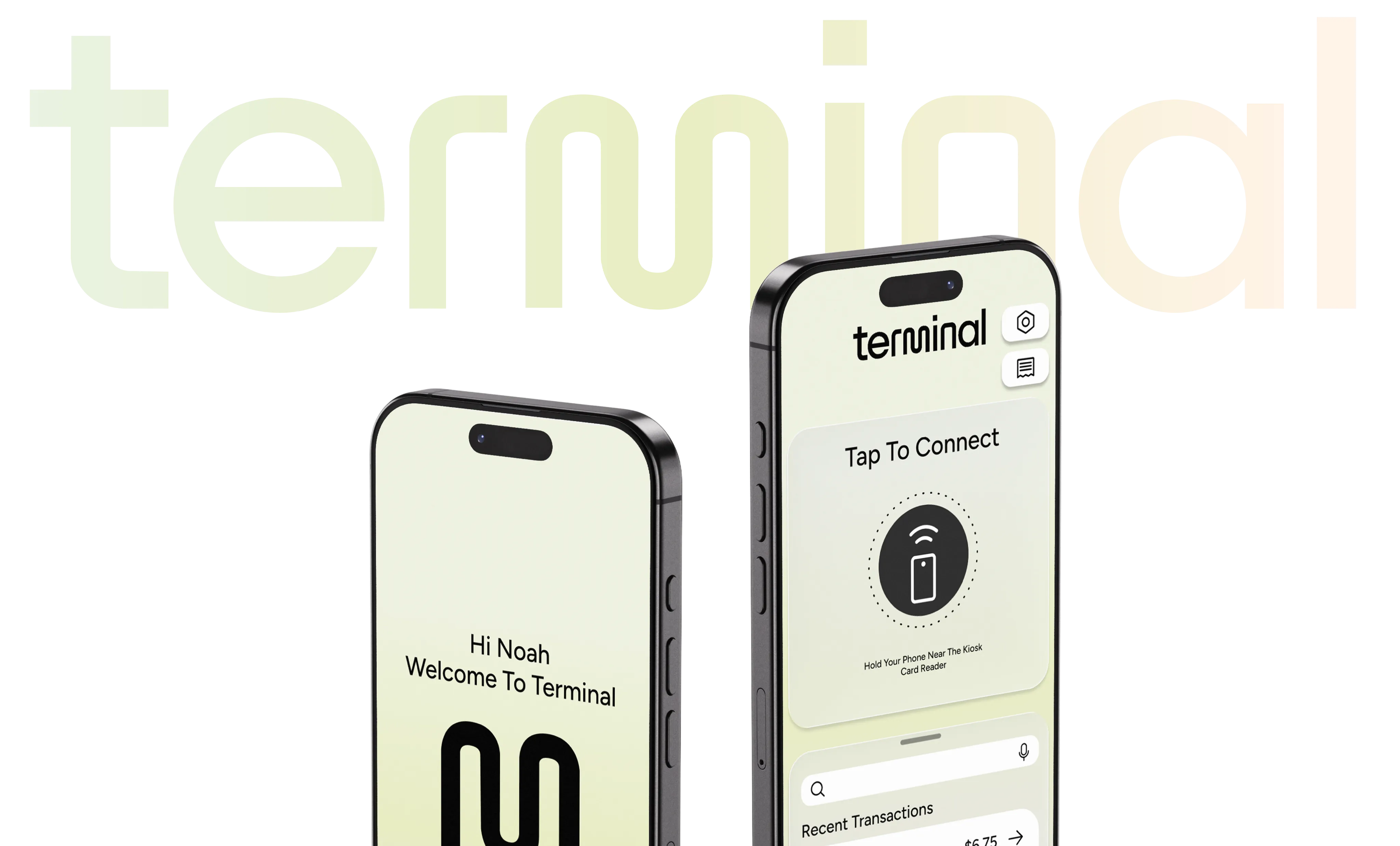
Terminal tap to connect screen
Tap Use the Tap To Connect to access and connect your phone to the nearest kiosk using NFC technology.
View View and search for your recent transactions.
Terminal home access screen
Access Access all kiosk UI functions via your personal device.
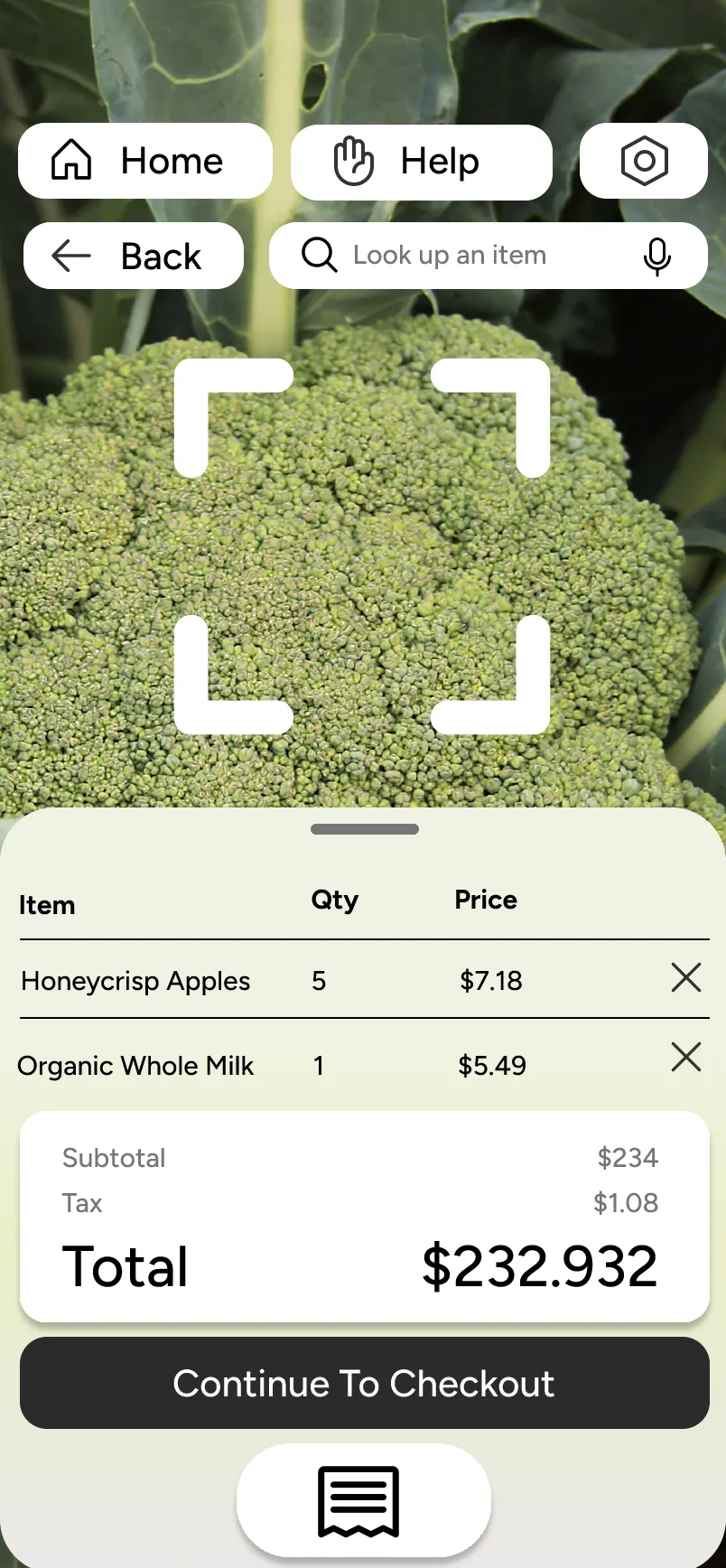
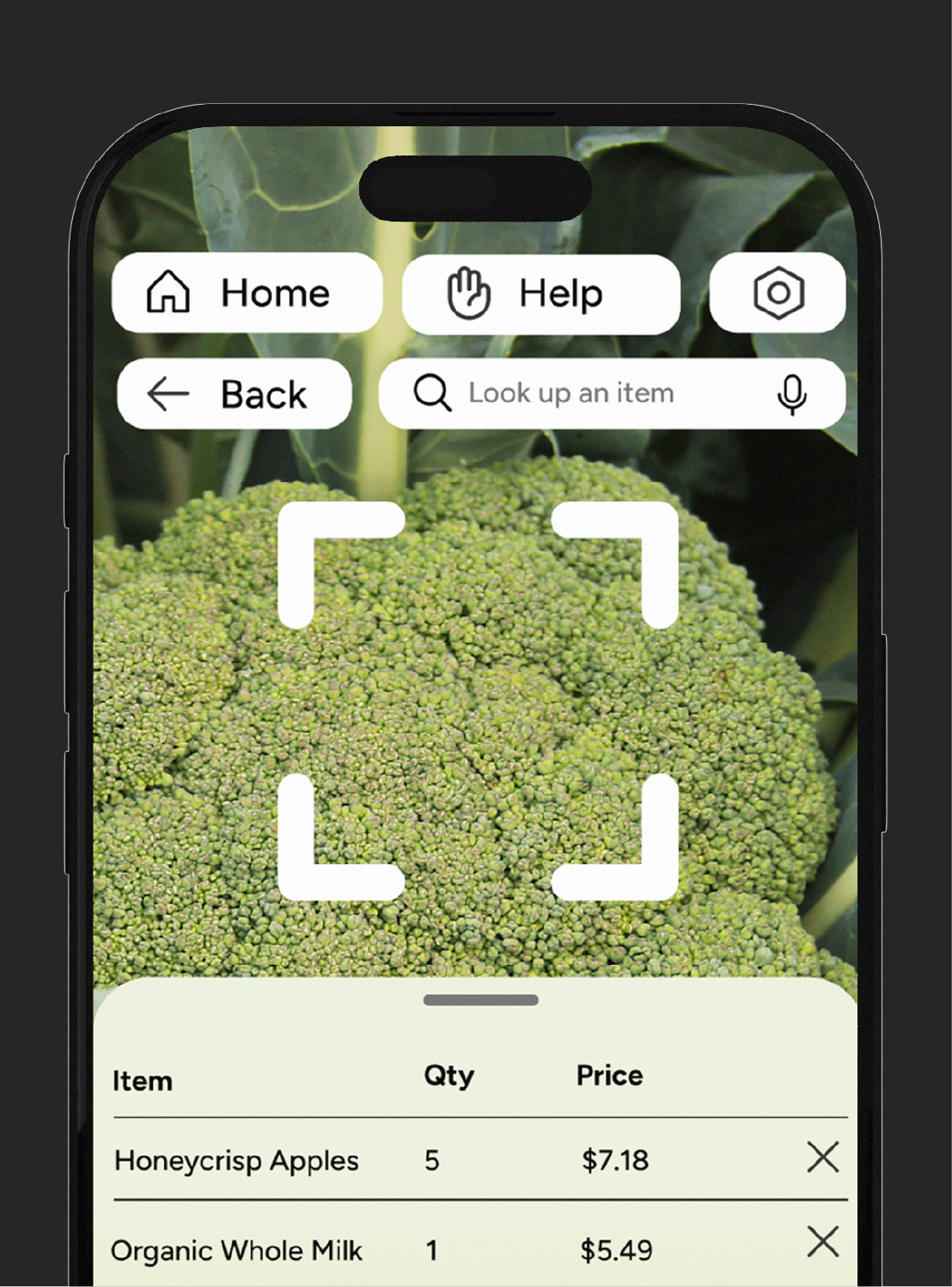
Terminal scan screen
Scan Use AI to help assist identifying items and scanning bar codes.
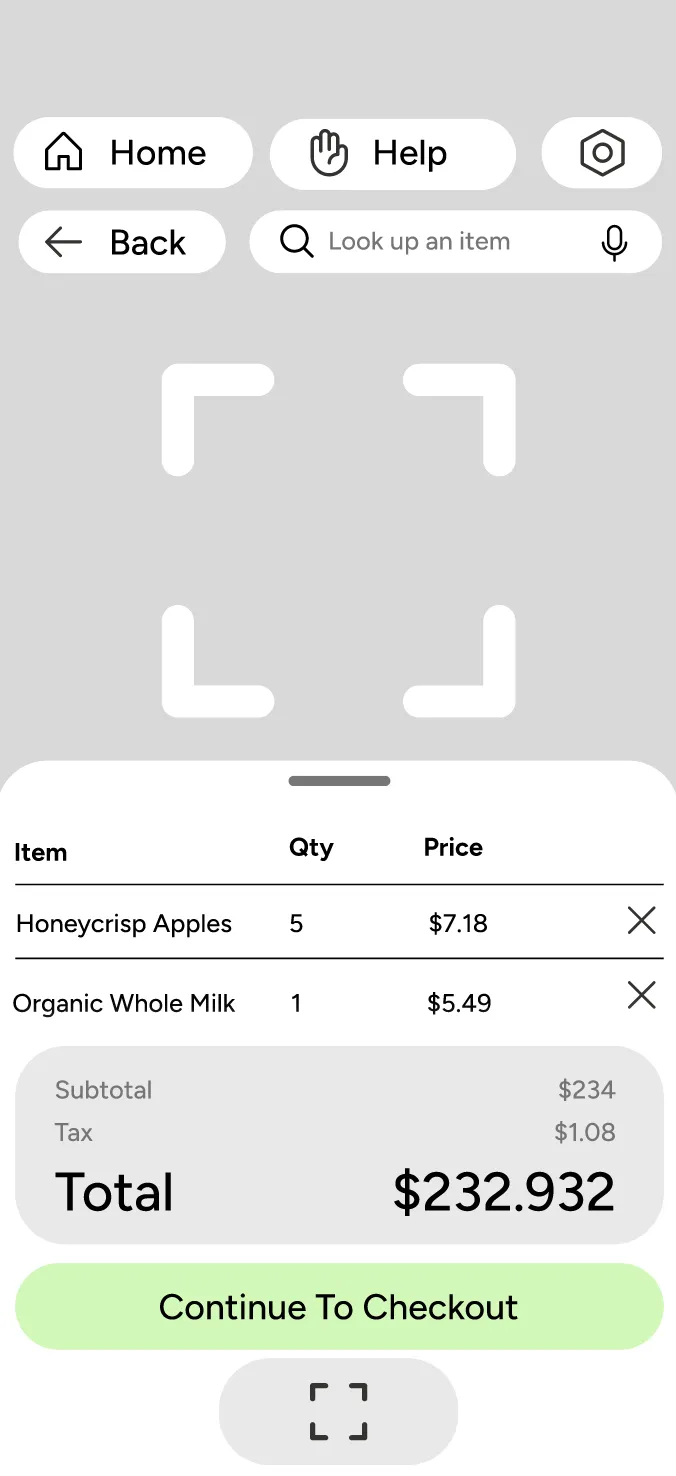
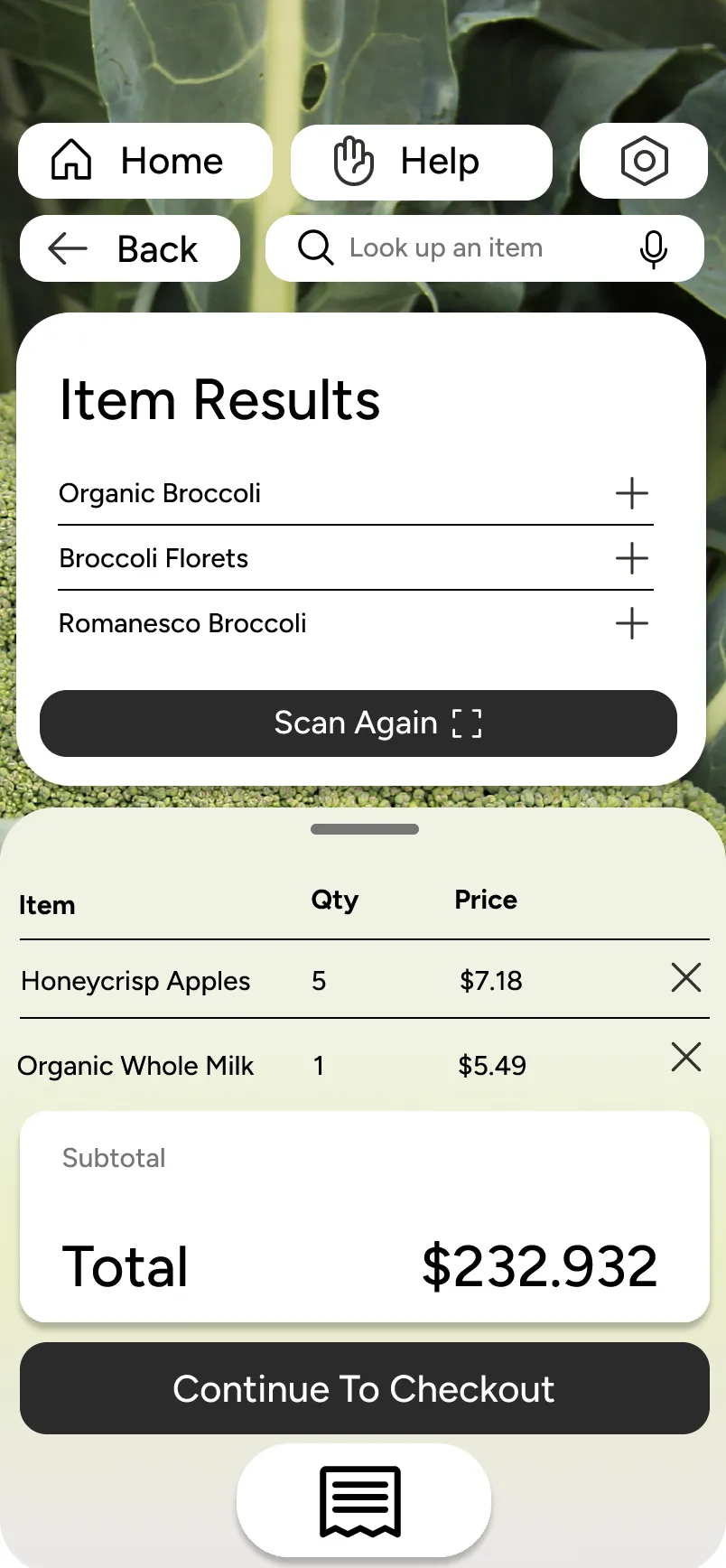
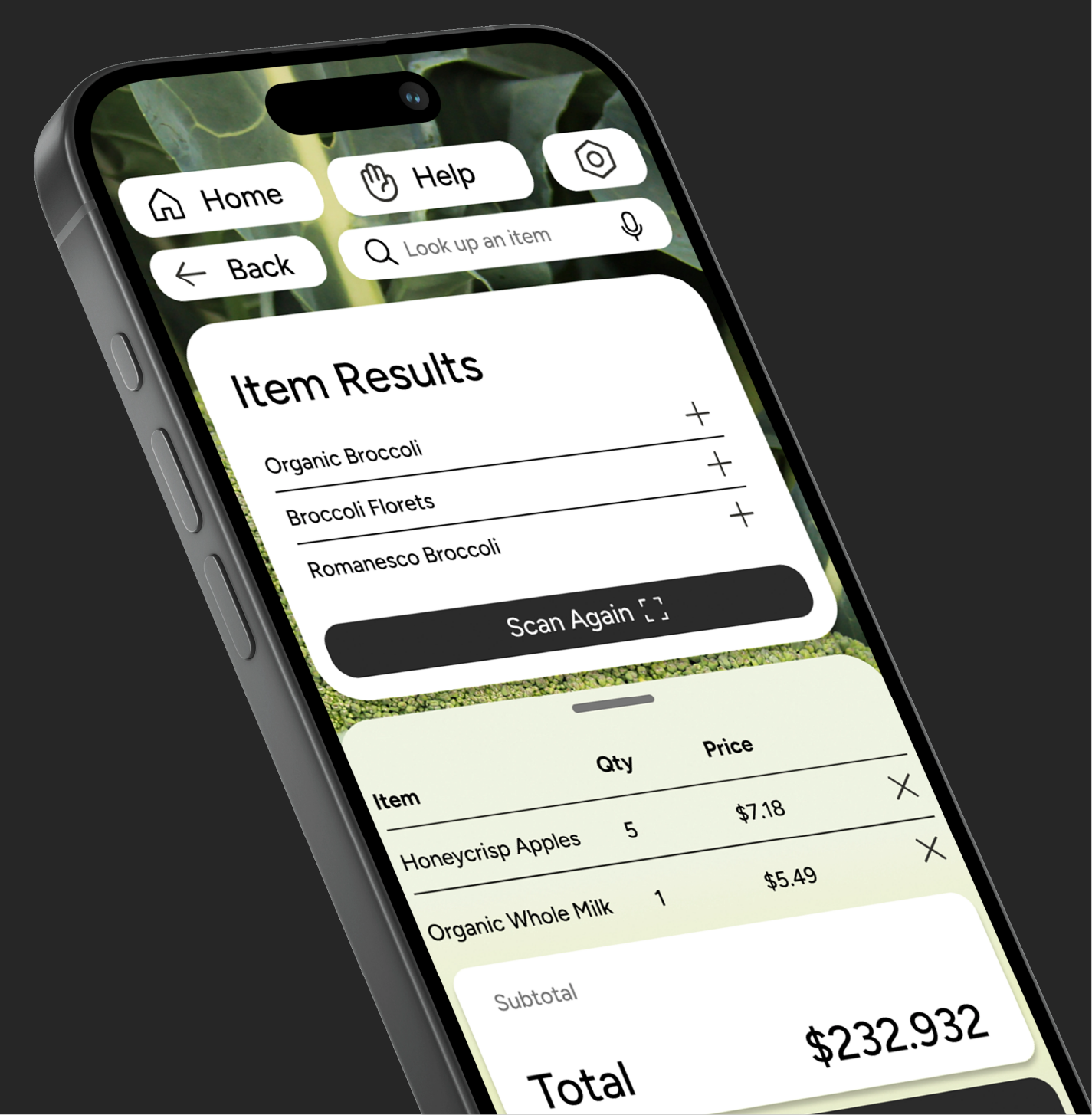
Terminal item results screen
View View your scanning results and scan again if your result is not listed.
Checkout Continue to checkout if everything looks right!
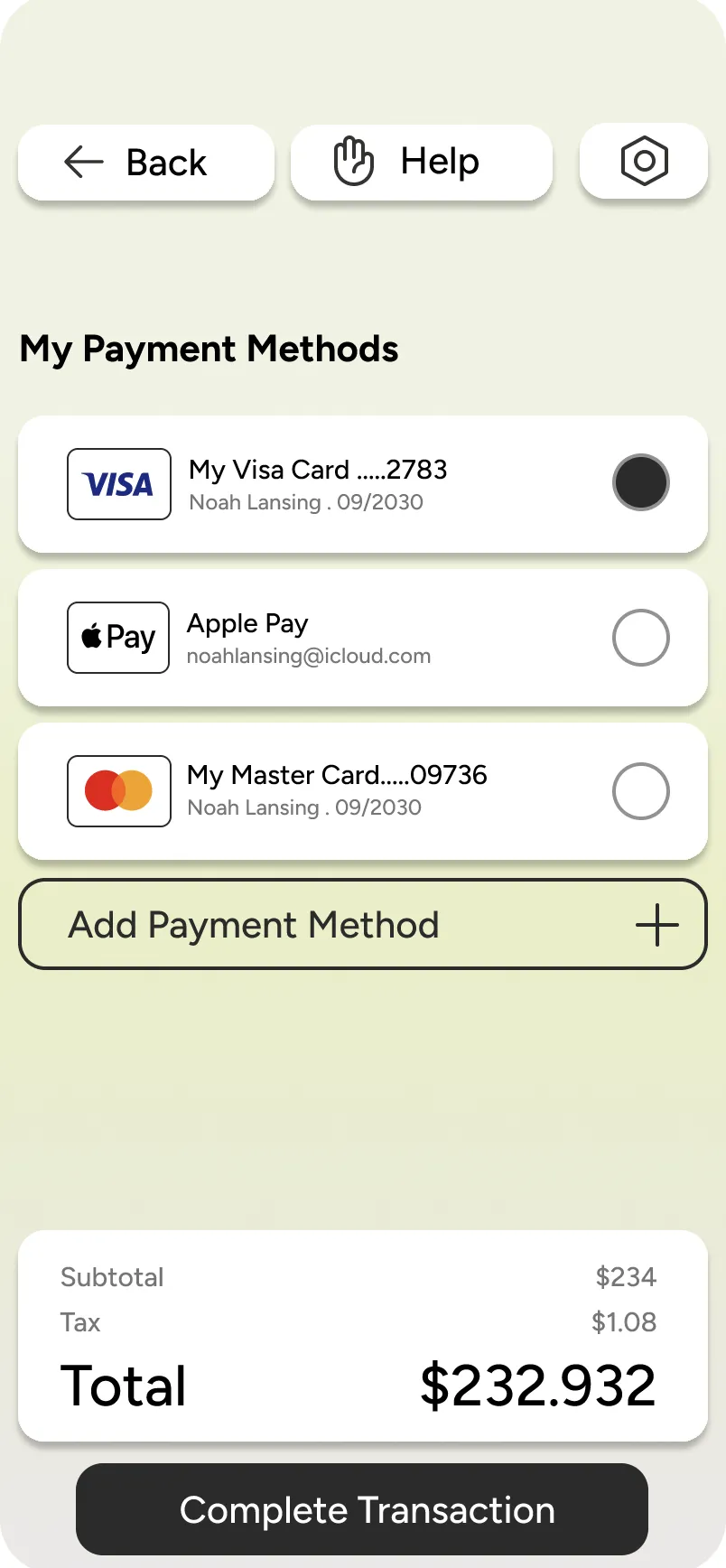
Terminal payment methods screen
Need Help? Flag a nearby retail assistant if you are in need of any outside assistance.
Pay Pay using your preferred method of payment or any saved methods of payment on your personal device.
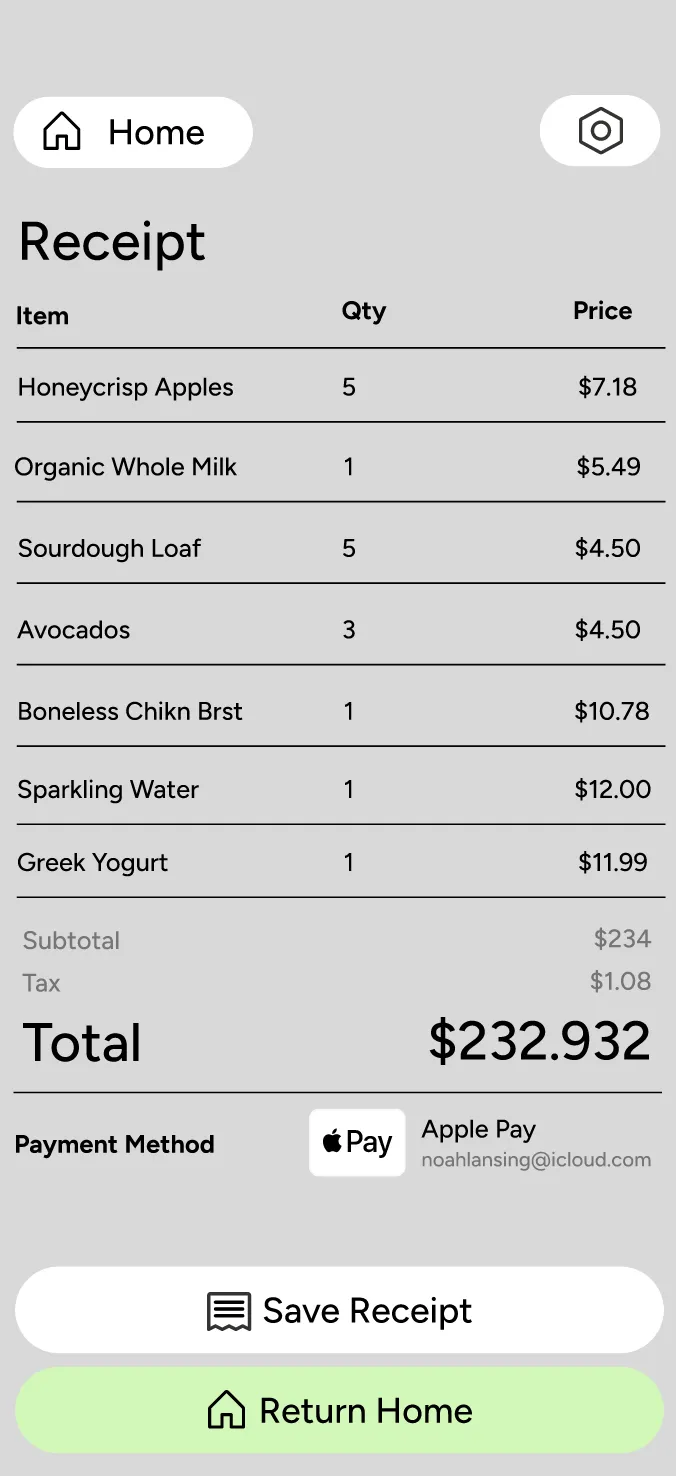
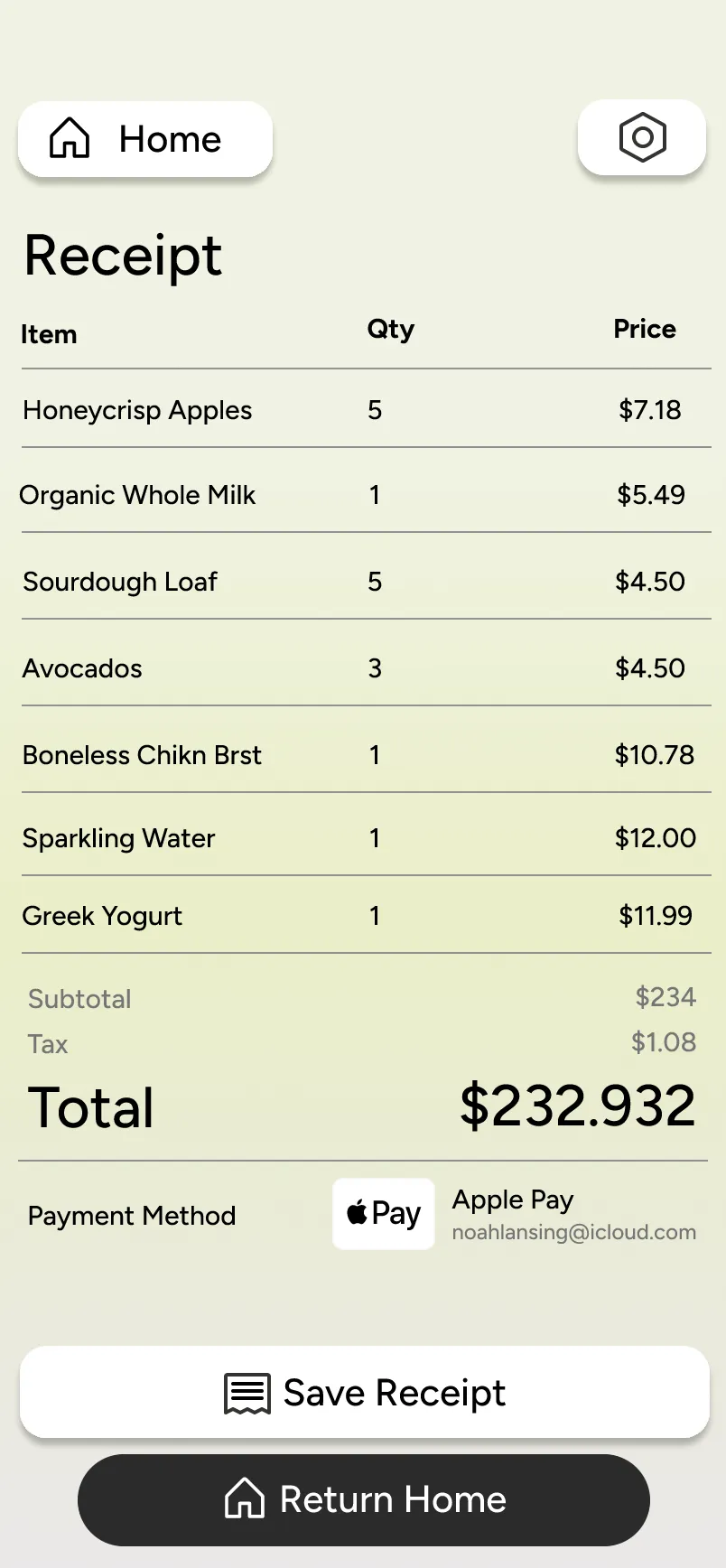
Terminal receipt screen
Review Review your receipt to make sure everything looks right.
Save Save your receipt if you want to access it with ease in the future.

01

Interface Design

Usability issues when navigating interfaces outside of personal devices.

02

Adaptability

Usability issues when navigating interfaces outside of personal devices.

03

Privacy

Accessibility issues when completing everyday tasks in a digital landscape.

04

Assistance

Usability issues when navigating interfaces outside of personal devices.


I believe design is an iterative, never-ending process; as such, I don’t view Terminal as a finished project, but a growing one. Moving forward, I would like to revisit my initial interview with the visually impaired user I spoke to during the conceptual phase. Conducting live user testing with him and broadening my interview pool would be beneficial to refine the visual elements and functionality based on direct feedback rather than assumption.

Developing Terminal provided a grounded lesson in the need of designing for marginalized communities. I’ve learned that a designer’s “ideal” solution often falls short if it isn't informed by the lived experiences of the actual users. By diverting the focus from the “traditional user” to marginalized groups, we as designers can create adaptive tools that are more effective for everyone.

If I were to continue developing Terminal, my immediate next step would be transitioning the project out of Figma and into a live, functional code prototype. Building an actual application framework would be essential for authentic accessibility testing, particularly for non-visual users who rely on screen readers and semantic alt-text to navigate. Additionally, I want to explore how this adaptive visual system scales across various public hardware screens and form factors, allowing me to continuously iterate, gather direct feedback from the blind and low-vision community, and refine the interface based on real-world assistive tech performance.